
Scripting
9/3/2025, 1:48:31 AMScripting
Mindustry uses JavaScript for mod scripting. Scripts use the js extension and are placed in the scripts/ subdirectory.
Execution starts with the file named main.js. Any other script files can be imported by the main file with require("script_name"). A typical setup looks like this:
scripts/main.js:
require("blocks");
require("items");scripts/blocks.js:
const myBlock = extend(Conveyor, "terrible-conveyor", {
  // various overrides...
  size: 3,
  health: 200
  //...
});scripts/items.js:
const terribleium = Item("terribleium");
terribleium.color = Color.valueOf("ff0000");
//...
Examples
Listening to events
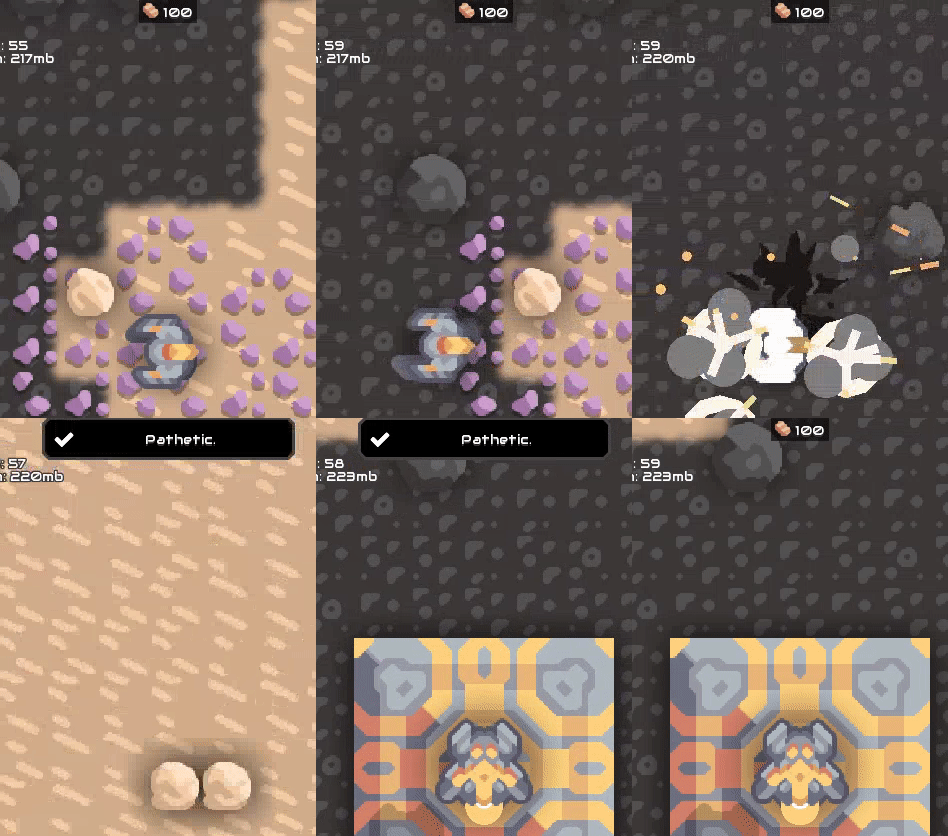
// listen for the event where a unit is destroyed
Events.on(UnitDestroyEvent, event => {
  // display toast on top of screen when the unit was a player
  if(event.unit.isPlayer()){
    Vars.ui.hudfrag.showToast("Pathetic.");
  }
})
The easiest way to find events you can listen to is to look at source file: Mindustry/blob/master/core/src/mindustry/game/EventType.java
Displaying a dialog box
const myDialog = new BaseDialog("Dialog Title");
// Add "go back" button
myDialog.addCloseButton();
// Add text to the main content
myDialog.cont.add("Goodbye.");
// Show dialog
myDialog.show();
Play some custom sounds
Playing custom audio is easy, provided you store your sound clip as a .mp3 or .ogg file in your /sounds directory.
For this example, we have stored example.mp3 at /sounds/example.mp3.
Using a lib to load the sound
scripts/alib.js:
exports.loadSound = (() => {
    const cache = {};
    return (path) => {
        const c = cache[path];
        if (c === undefined) {
            return cache[path] = loadSound(path);
        }
        return c;
    }
})();scripts/main.js:
const lib = require("alib");

Events.on(WaveEvent, event => {
    // loads example.mp3
    const mySound = lib.loadSound("example");
    // engine will spawn this sound at this location (X,Y)
    mySound.at(1, 1);
})
//TODO test these out and add more examples